- Target Audience
- Everyone
Global Alliance for Genomics & Health - Task Execution Service (GA4GH TES)
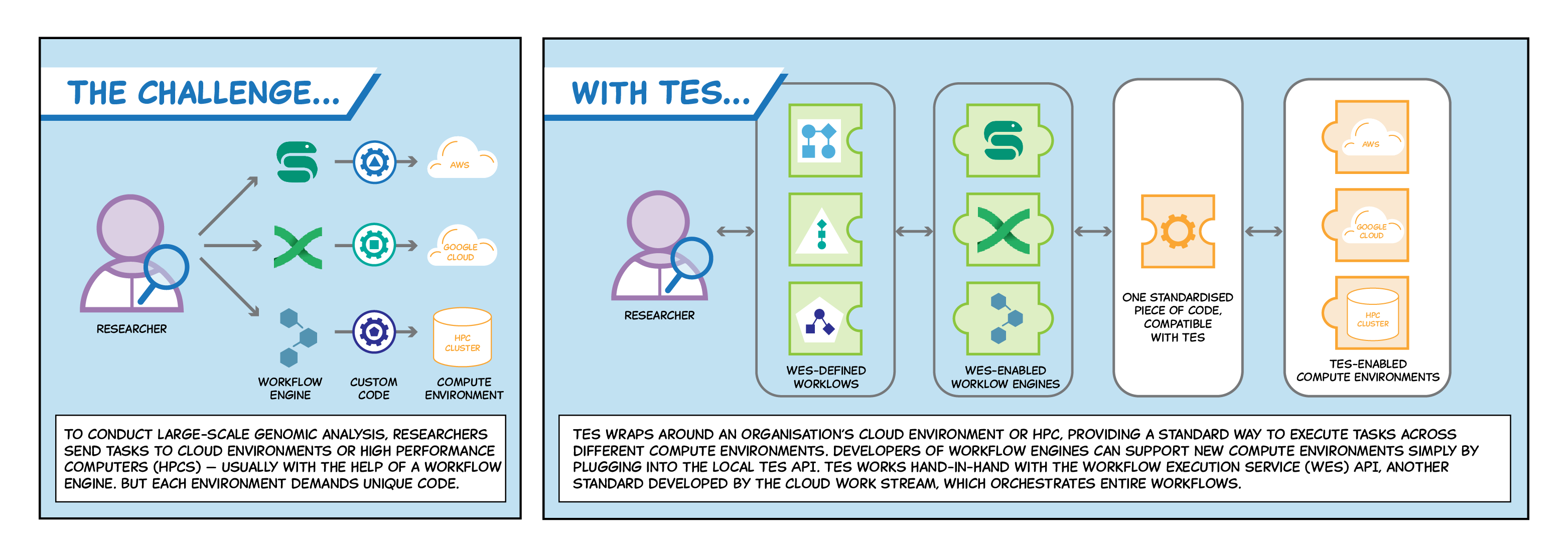
Developed by the Global Alliance for Genomics & Health (GA4GH), the Task Execution Service provides a standard mechanism for orchestrating complex analyses across different compute environments.
To learn more, visit the GA4GH TES product page .
TES messages for 5S-TES
The reference documentation for TES messages specifies the standard for creating a task . 5S-TES accepts this format, but some fields are treated differently because of how the submission layer processes messages before they’re sent to a TES engine.
| TES fields | Description |
|---|---|
name | User provided task name |
description | User provided task description |
inputs | In a TES message, you can specify files which you would like the engine to download and use in your task. Whether these inputs will be downloaded when your task is running depends on the TRE; some will not allow inputs to be downloaded for security. |
outputs | In TES messages, this specifies where outputs should be stored. This is amended by the TRE agent. |
resources | In a TES message, you can specify the computing resources you would like to have for your task. A TRE may choose what resources you are given, rather than following this. |
executors | A list of containers to run. The images available will depend on what TREs allow. |
volumes | Shared volumes that the containers can use to share data among themselves |
tags | optional in TES, but important for orchestration by the submission layer |
Tags
In TES, the tags field is “used to store meta-data and annotations about a task”.
However, in 5S-TES, this has been overloaded so that two tags are essential.
A Project tag must contain the name of an approved project in the submission layer
A tres tag must contain a list of TREs that should run the task, separated by a pipe character (|).
An example of the tags field is:
"tags": {
            "Project": "NottinghamDemo",
            "tres": "Nottingham TRE 01|Nottingham TRE 02"
         },
Executors
TES tasks run through executors, specified in the executors field of a TES message.
An example TES message could contain
{
    ...,
    "executors": [
        {
            "image": "harbor.federated-analytics.ac.uk/5s-tes-analysis-tools/5s-tes-analysis-tools-tre-sqlpg:1.0.0",
            "command": [
                     "--Output=/outputs/output.csv",
                     "--Query=<SOME SQL>"
            ],
        }
    ]
}
This tells the TES engine in each TRE to load the image of the container at the specified URL.
A container is like a lightweight virtual machine wrapping some software, which offers benefits in security and reproducibility.
When the container is loaded, the specified "command" is then executed inside the container.
The TES standard lets you run any sequence of containers, so 5s-TES theoretically could too.
In practice, the executors you can run in 5S-TES TREs will depend on which containers the TRE will allow you to.
The examples in this documentation run on containers too, but will not cover all research needs.