- Target Audience
- Researcher
Use the TES Wizard to submit an analysis
TES Wizard
TES Wizard is a web application built in into the Submission layer that allows you to submit a task to the 5S-TES endpoint.
Before using TES Wizard, please make sure that you met the requirements in the Prerequisites section.
Steps to make a submission
Below are the steps to make a submission using the web application.
Log in to the Submission layer and find the wizards
- As each submission is associated with a project, you make your submissions in the web application by first logging in to the Submission layer and then navigating to the projects view. In the projects view, select a project you are assigned to.

-
When you are in the project, select the Submissions tab.
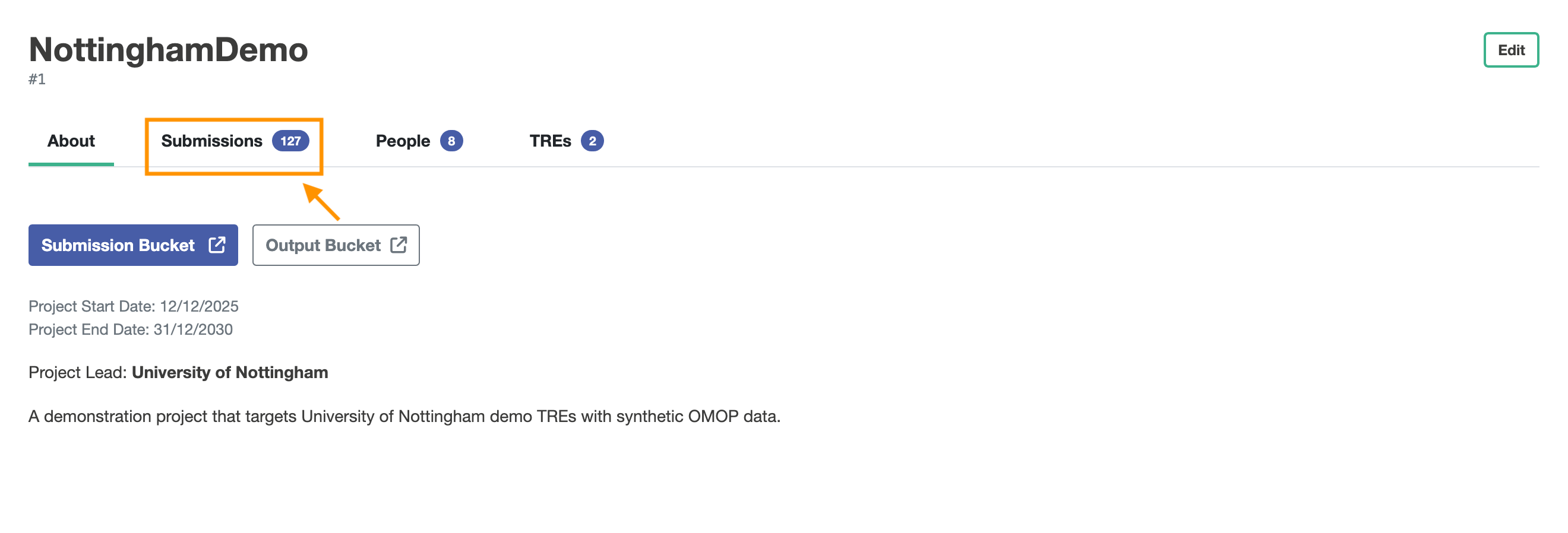
-
In the Submissions view, you will be shown a button to make a new submission. Click the
Create Submissionbutton, and then select the TES wizard to access the Wizard.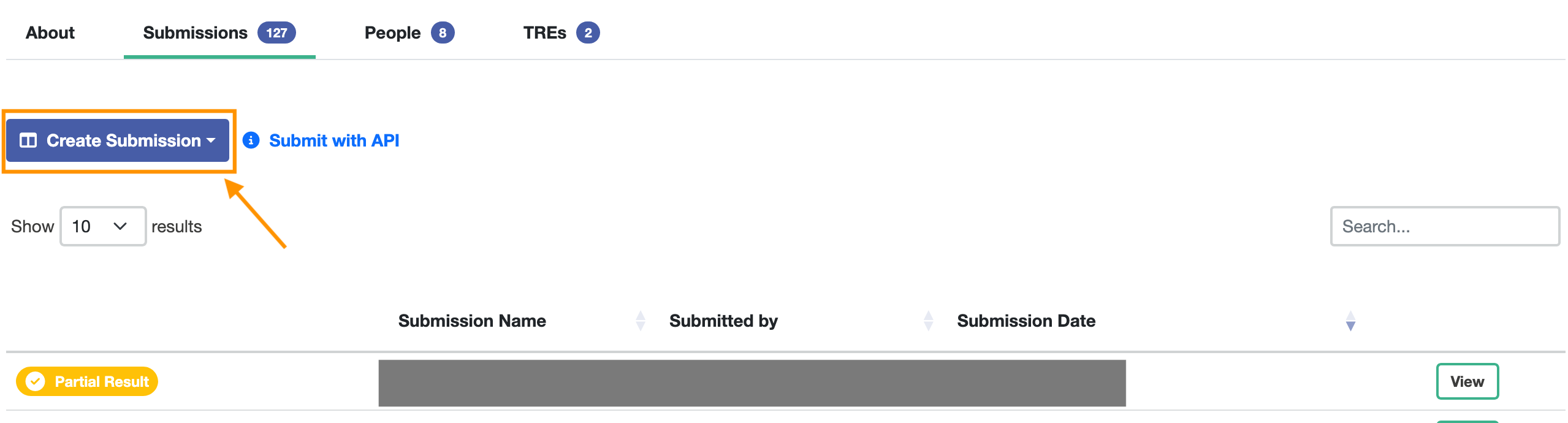
Choose a wizard
Simple SQL Query
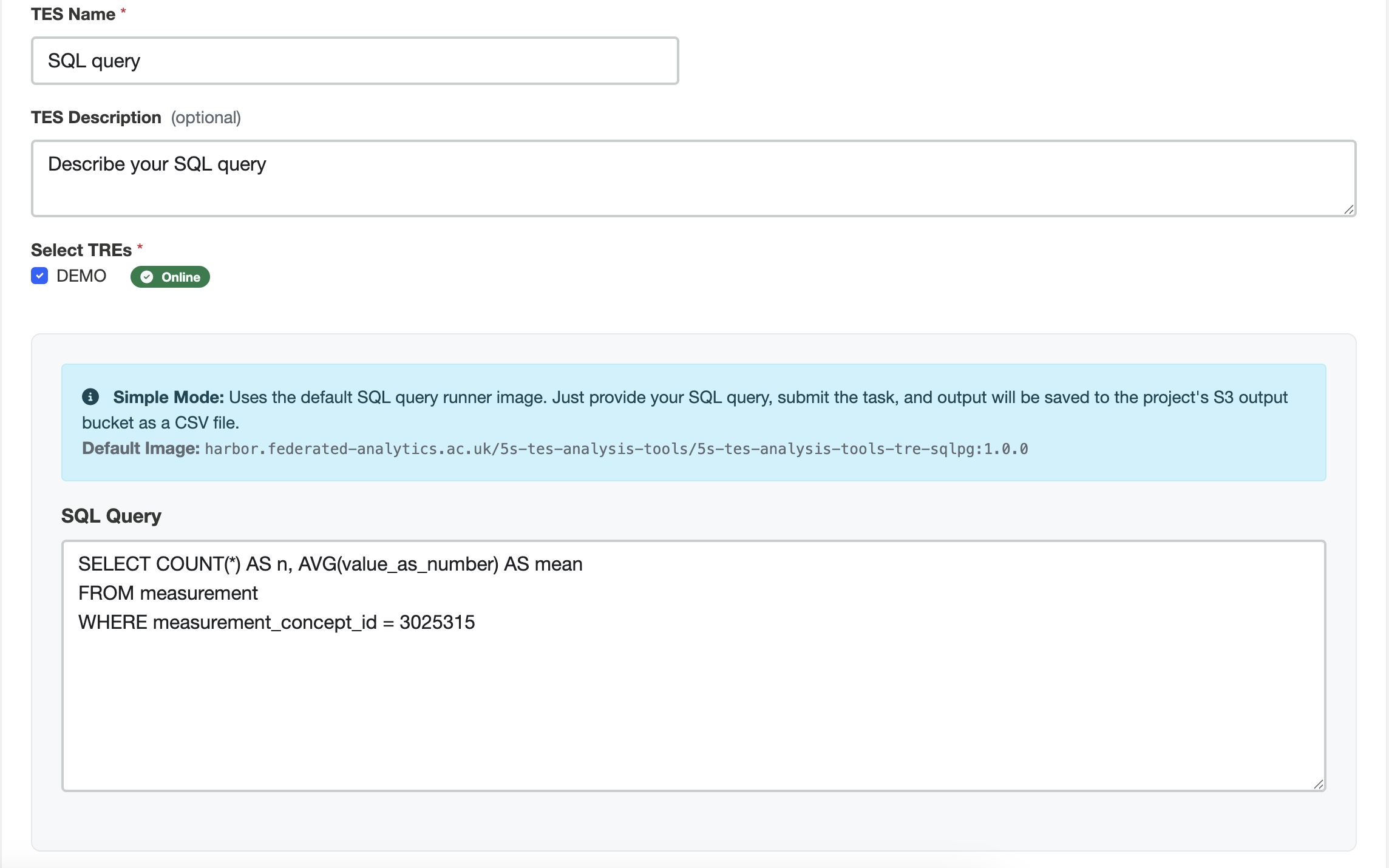
The Simple SQL Query TES Wizard mode creates a TES task that executes a Postgres SQL Runner container image. To submit a SQL query TES Task you need to set:
-
Name
-
Description (optional)
-
TREs to submit to
-
A SQL Query
An example for a SQL query to get the number of records and the total value of the measurement values for the concept “Airway resistance —during inspiration” in the TRE OMOP CDM DB is:
WITH user_query AS (
SELECT value_as_number FROM public.measurement WHERE
  measurement_concept_id = 21490742
  AND value_as_number IS NOT NULL
  )
SELECT COUNT(*) AS n, SUM(value_as_number) AS total FROM user_query;
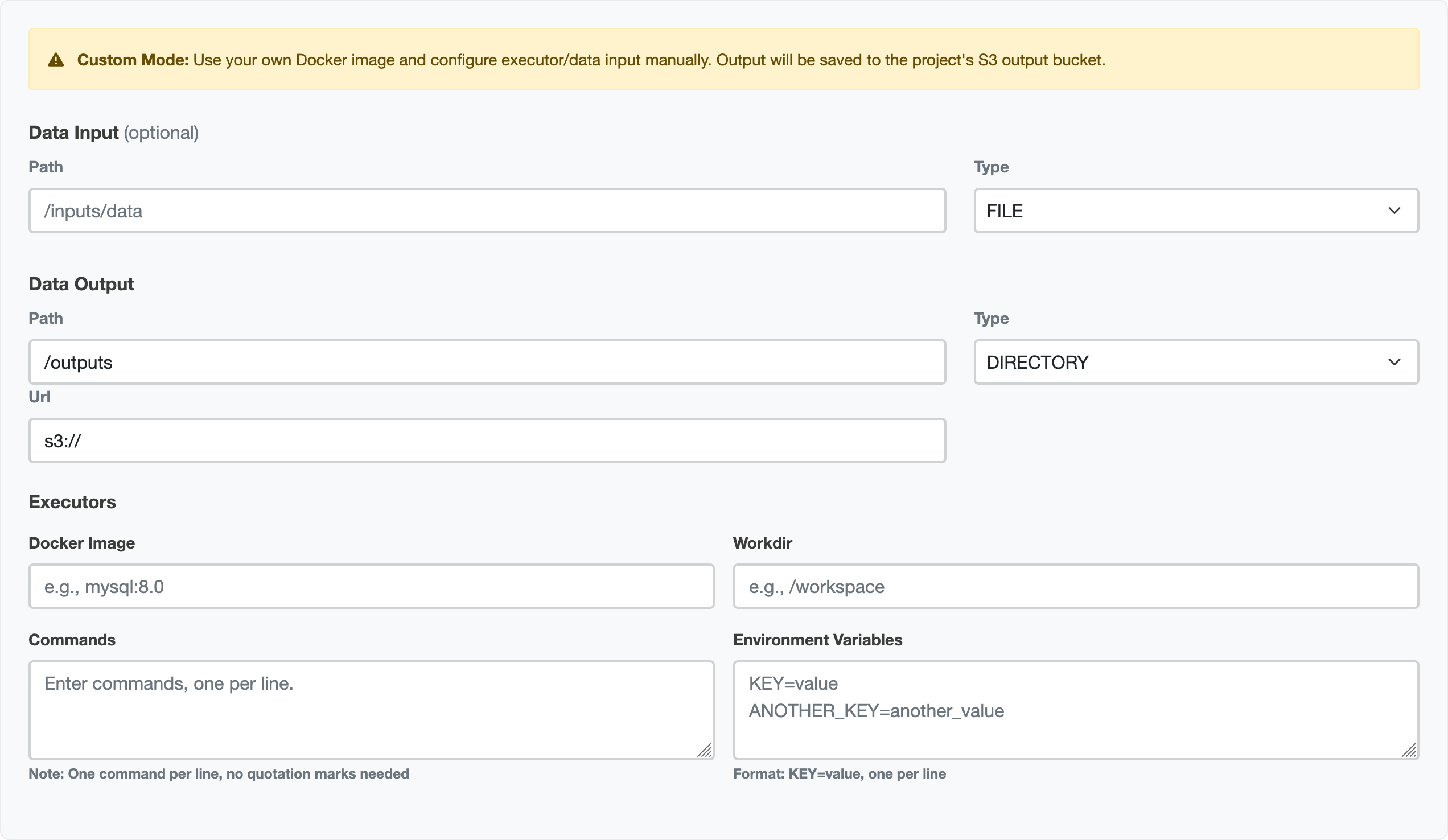
Example of the Simple SQL Query TES Wizard mode:
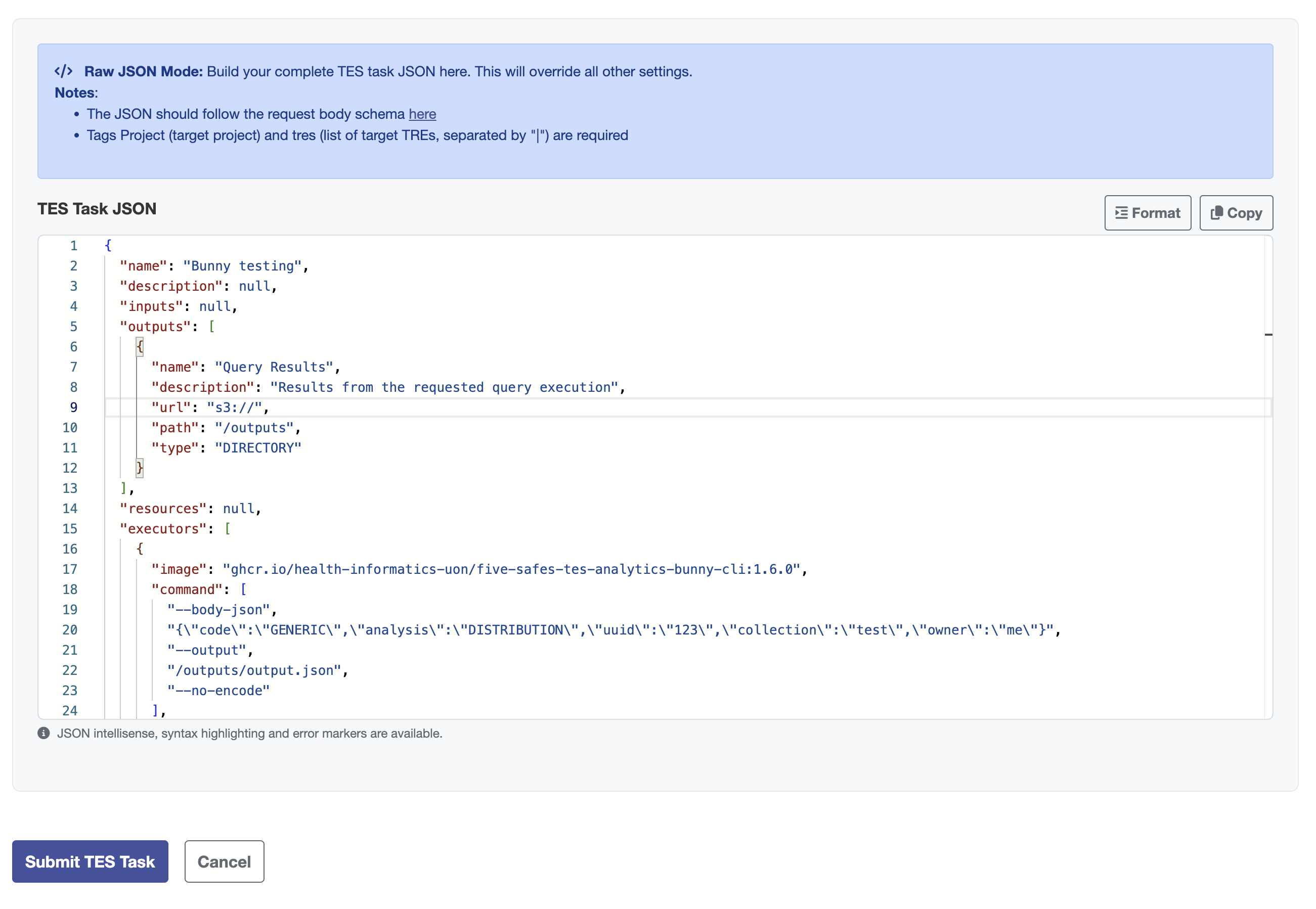
Submit your task
For all the wizards, there is a button at the bottom to submit your task.

Once this is pressed, the task is sent to the submission layer. This area will then display your task’s progress as it is sent to the TRE agent, then to the TES engine, and when the outputs are being reviewed.
When this is complete, you can collect your results.