- Target Audience
- Federation Operator
Setting up a New Project
This guide describes how to setup a new Project.
Prerequisites
- Project Name, Start and End Date
- A Submission Layer Administrator user - Keycloak Admin has to create a Submission Layer Admin user with
dare-control-adminrole using this guide - Access to the Submission Layer as a Submission Layer administrator user
Login to the Submission Layer
Login to the Submission Layer as Submission Layer Administrator.
Open the Create Project page
Select the Projects tab at the top of the home page. This will display the list of existing Projects.
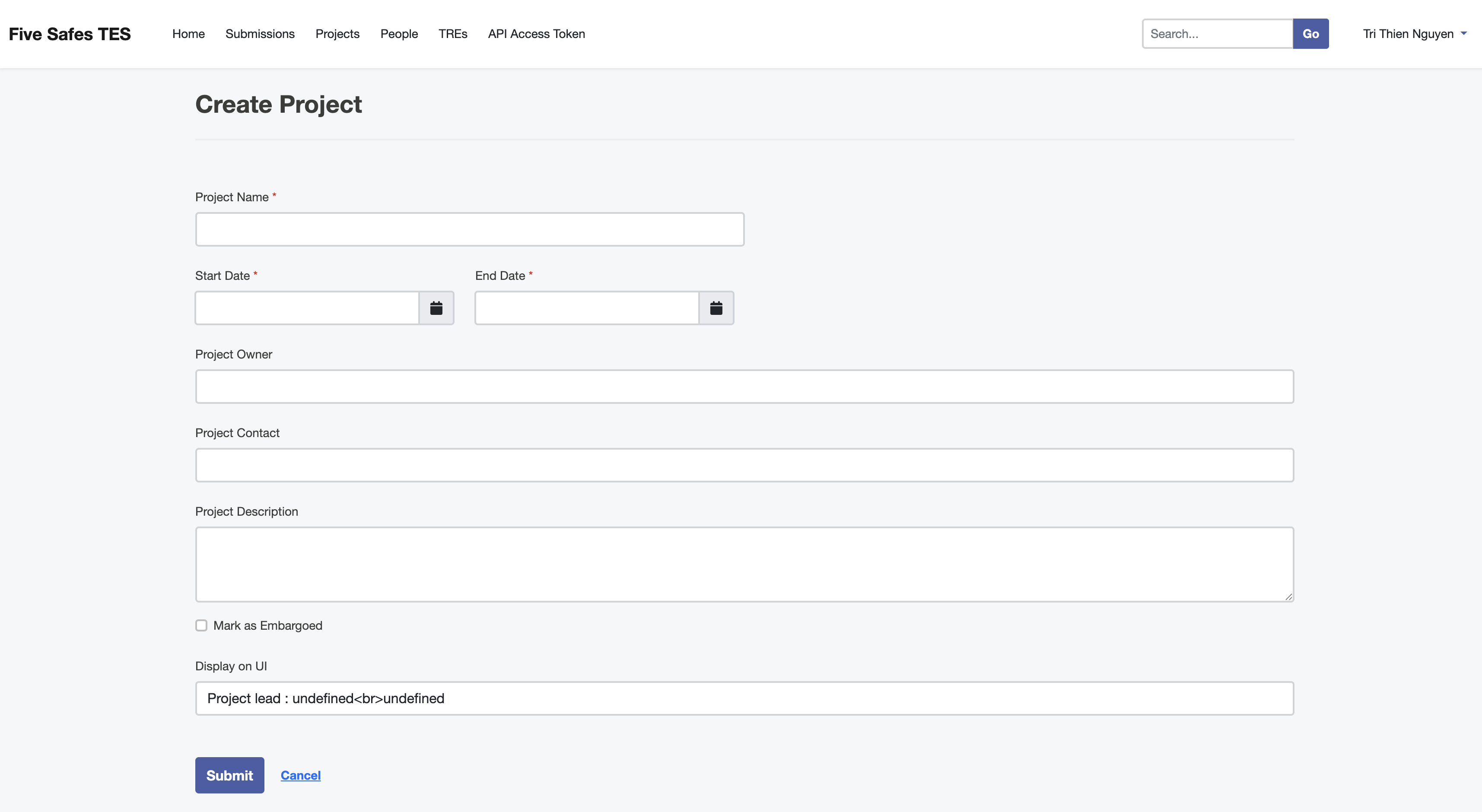
Click the blue + Create Project button at the top-right of the Projects page. This will open the Create Project page.

Fill in the Project details
The project information should be entered. This includes:
- Project Name (mandatory)
- Start and End dates (mandatory)
- Project Owner (optional)
- Project Contact (email) (optional)
- Mark if project is embargoed
- Project Description (optional)
- Display on UI (not currently modifiable)
Submit the form
Once all details have been added click the blue Submit button. This will return you to the Projects page, where the new Project will be displayed.
What’s next?
Last updated on